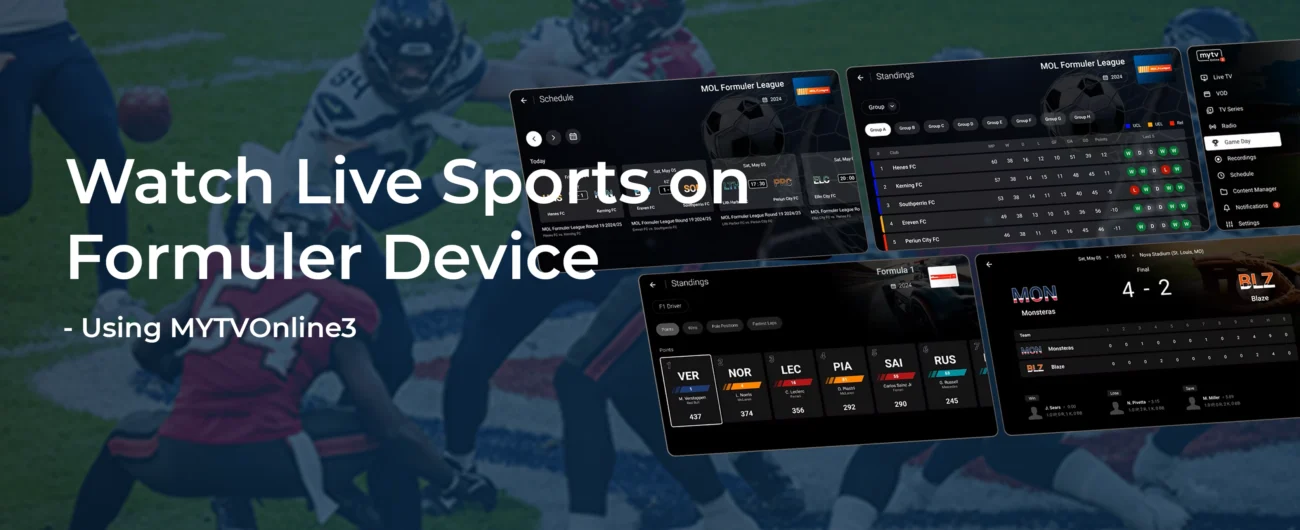
Formuler devices are Android-based streaming boxes built for live TV. They come with the MyTVOnline 3 app preinstalled, making it easy to watch live sports right on your TV. This guide shows how to set up your Formuler box and use its built-in sports features. For new users, our Formuler Setup Guide covers the initial device setup.
Getting Started
Step-by-Step: How to Watch Live Sports on Formuler Devices
Connections > Add Portal and enter your subscription details.Using MyTVOnline 3 for Live Sports
MyTVOnline 3 is the built-in live TV app on Formuler. It organizes your channels, guides, and sports content in one place. Open MyTVOnline 3 from the home screen to get started with live sports. Key features for sports fans include:
- Game Day (Sports Hub): Access schedules, scores, and stats for major sports leagues all in one place. Set reminders for games you don’t want to miss.
- Channel Search: Use the BT1 voice remote or on-screen search to quickly find sports channels by team or league name. For example, say “NBA” or “Arsenal” to jump to that channel.
- Electronic Program Guide (EPG): Browse the live TV guide to see what sports events are airing now and next. Click a show in the guide to switch channels or schedule recording.
- Favorites and Groups: Tag your go-to sports channels using the BT1 remote’s Favorite button for one-click access. Organize related channels into groups (like “Sports”) for easy navigation during big game days.
- Notifications: MyTVOnline 3 can alert you to live games or updates if enabled. Check the notifications panel to stay on top of upcoming match alerts and sports news.
Advanced Sports Features
In addition to basic streaming, Formuler and MyTVOnline 3 offer powerful tools for sports fans:
- Picture-in-Picture (PiP): Watch two live games at once by enabling PiP mode. This lets you follow multiple matches simultaneously (for example, a baseball game and a soccer match) on the same screen.
- Timeshift & Pause: Pause a live game when you get interrupted, then resume from where you left off. You can also rewind live TV to see a play again or restart the current program from the beginning.
- Recording: MyTVOnline 3 lets you record one program while you watch another. Use the red record button on the BT1 remote to save a game to your personal DVR for later viewing.
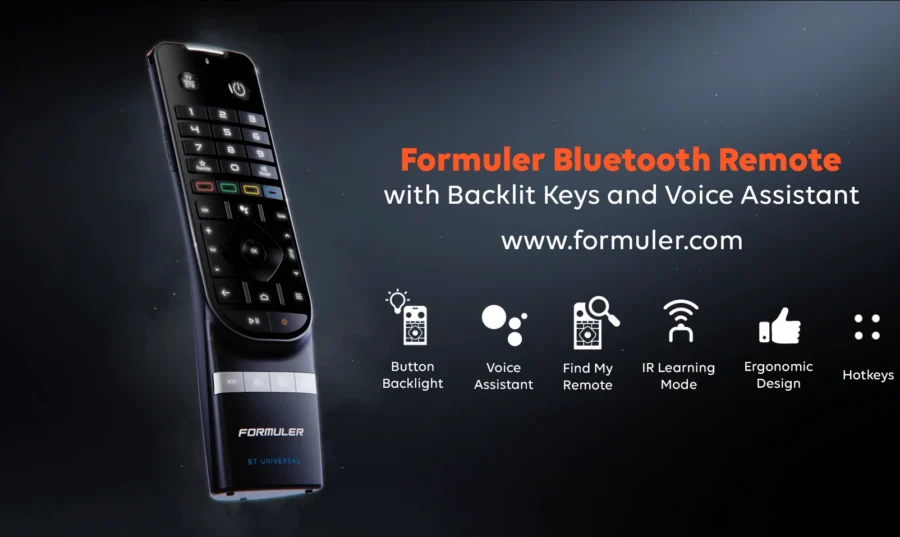
- Voice Remote (BT1): The Formuler BT1 Bluetooth remote includes a microphone and Google Assistant support. Press the mic button and say a team or league name to jump directly to that sports channel. For advanced tips and hotkeys on the BT1, check our BT1 Remote Guide.
- Performance: Higher-end Formuler models deliver even smoother sports streaming. For example, the Formuler Z11 Pro Max has a fast processor and supports 4K video for crisp live sports. Use Ethernet or a strong Wi-Fi signal so your streams don’t buffer during big plays.
These features are all built into MyTVOnline 3 and the Formuler system. They let you customize your sports viewing without extra apps. For instance, you can follow your favorite team by adding it to Game Day and setting a reminder, then use voice search on game day to switch to the channel instantly.
Tips for Best Experience
- Keep software up to date. Always install the latest updates for your Formuler firmware and MyTVOnline 3. New updates can improve streaming stability and add sports features.
- Use a wired connection. For live sports, an Ethernet connection avoids Wi-Fi hiccups. If you must use Wi-Fi, ensure a strong signal or consider a Wi-Fi extender.
- Close background apps. Before watching, exit any unused apps on your Formuler box. This frees up memory so MyTVOnline 3 runs more smoothly during fast-paced games.
- Optimize settings. In MyTVOnline 3 settings, make sure HD mode is enabled if your IPTV supports it. Also, use the BT1 remote to set your TV volume and CEC control so you can watch and listen without juggling remotes.
Following these tips will help your live sports streams stay crisp and uninterrupted, letting you focus on the game rather than technical issues.
Frequently Asked Questions (FAQ)
Q: Can I watch sports on Formuler devices without installing third-party apps?
A: Yes. Formuler boxes come with the built-in MyTVOnline 3 app for live TV. Just load your sports IPTV channel list into MyTVOnline 3 and you can stream games directly without extra apps.
Q: What is the Game Day feature in MyTVOnline 3?
A: Game Day is a built-in sports hub in MyTVOnline 3. It shows schedules, scores, and stats for major sports leagues. You can follow teams, set game reminders, and access live matches from this screen.
Q: Does Formuler support watching multiple games at once?
Q: Does Formuler support watching multiple games at once?
A: Yes. Formuler’s MyTVOnline 3 supports Picture-in-Picture mode. Enable PiP to watch two live channels on the screen simultaneously, perfect for following multiple games at the same time.
Q: How do I use voice search to find sports channels on Formuler?
A: Use the Formuler BT1 remote’s voice button. Press and speak a team, league, or channel name. MyTVOnline 3 will search and switch to that sports channel if available. This is a fast way to jump to your favorite teams without typing.
Q: Which Formuler device is best for streaming live sports?
A: All Formuler devices handle live sports well, but models like the Z11 Pro Max offer faster performance and 4K support. For the smoothest, highest-quality sports experience, choose a higher-end model such as the Z11 Pro Max.