Are you suddenly seeing a black screen or “No Signal” on your TV while using your Formuler box? Don’t panic. This is a common issue, especially with models like the Formuler Z11 Pro Max, and can usually be fixed in just a few steps.
Common Reasons for No Signal or Black Screen on Formuler
- Incorrect HDMI source selected
- Faulty or loose HDMI cable
- TV not detecting the device
- Outdated firmware
- Power supply issues
- Temporary software glitch
Step-by-Step Troubleshooting Guide
🔌 1. Check HDMI Cable & Input Source
Make sure the HDMI cable is firmly connected to both your Formuler box and your TV.
On your TV, use the remote to select the correct HDMI input.
If the issue remains, try:
- A different HDMI port on your TV.
- A new HDMI cable.
⚡ 2. Reboot Your Formuler Box
Unplug the power cable from the device.
Wait for 30 seconds.
Plug it back in and turn it on.
This simple step helps fix temporary system glitches.
🧩 3. Test on a Different TV (Optional)
If you still get a black screen, connect your Formuler device to another TV.
This helps determine if the issue is with your Formuler box or the TV.
🔄 4. Perform a Soft Reset
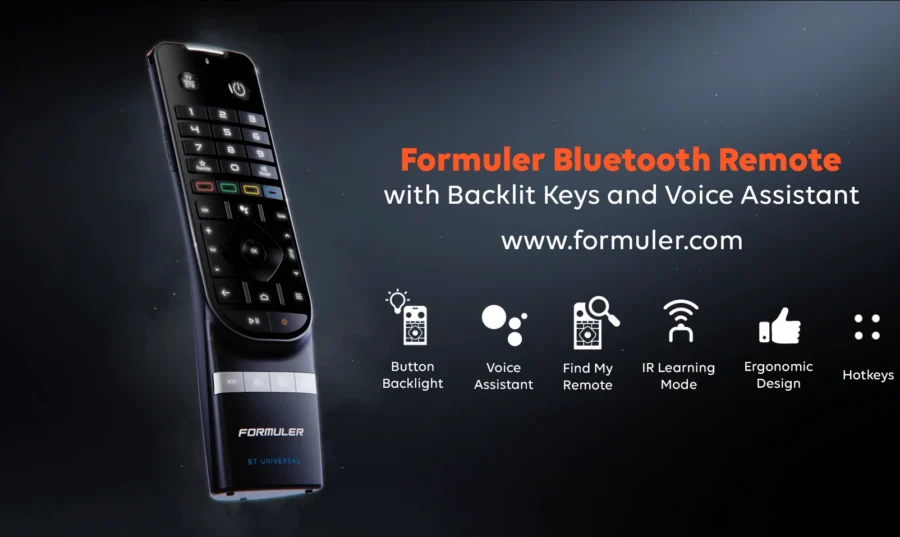
Press and hold the power button on the BT1 remote for 10 seconds.
Watch for the LED light to blink or the device to restart.
Look for the Formuler logo or boot animation on your screen.
🌐 5. Update to the Latest Firmware
Outdated firmware can cause display issues.
To update:
- Go to Settings > About > System Update.
- Ensure your Formuler is connected to Wi-Fi.
- Install any available updates.
⚠️ 6. Factory Reset (Use as Last Option)
⚠️ Note: This will erase all apps and settings.
Navigate to Settings > Device Preferences > Reset.
Follow the on-screen instructions to perform a factory reset.
Once reset, reconfigure your device from scratch.
| Issue | Quick Fix |
|---|---|
| No signal detected | Check HDMI & Input Source |
| Black screen after boot | Try a soft reset |
| No response from remote | Replace batteries / re-pair BT1 remote |
| Formuler box turns on but no display | Try another TV or cable |
Still Not Working?
If none of the above steps work: 👉 Try connecting the Formuler to another TV
- 👉 Contact Formuler Support
- 👉 Visit the official Formuler website for technical assistance
FAQs – Formuler Black Screen / No Signal Fixes
Q1: My Formuler box powers on, but I see no display. What should I do?
A: Make sure you’re on the correct HDMI source. Try another HDMI port or cable.
Q2: Can a firmware update fix this issue?
A: Yes, if the issue is software-related. Always update to the latest firmware.
Q3: My TV says “No Signal” even though the box is on.
A: Your TV might not be detecting the HDMI input. Try switching to another HDMI source.
Q4: Will a factory reset fix display issues?
A: It might if the issue is caused by corrupted settings. But try other methods first.