

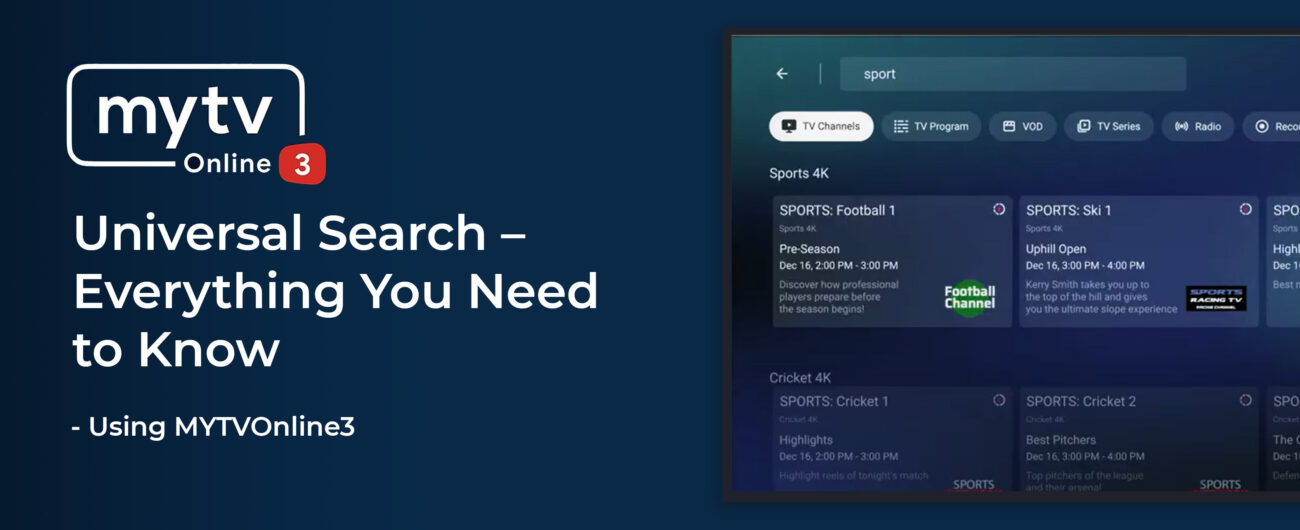
Formuler has always been at the forefront of IPTV innovation—and with MYTVOnline 3, they’ve taken content discovery to the next level. One of the most powerful features is Universal Search, a tool that lets users search across Live TV, VOD, TV Series, and even EPG, all from one place.
If you’re still scrolling through categories or channels manually, this is the feature you need to start using. In this blog, we’ll explore what Universal Search in MYTVOnline 3 is, how it works, and how it can completely change the way you interact with your Formuler box.
What is Universal Search in MYTVOnline 3?
Universal Search is a smart search system built into MYTVOnline 3 that enables users to search all available content sources at once. Instead of going into separate sections for live channels, VOD, or series, you can simply search once and get all relevant results.
- Unified Search: One input, all results
- Fast Navigation: Instantly jump to what you’re looking for
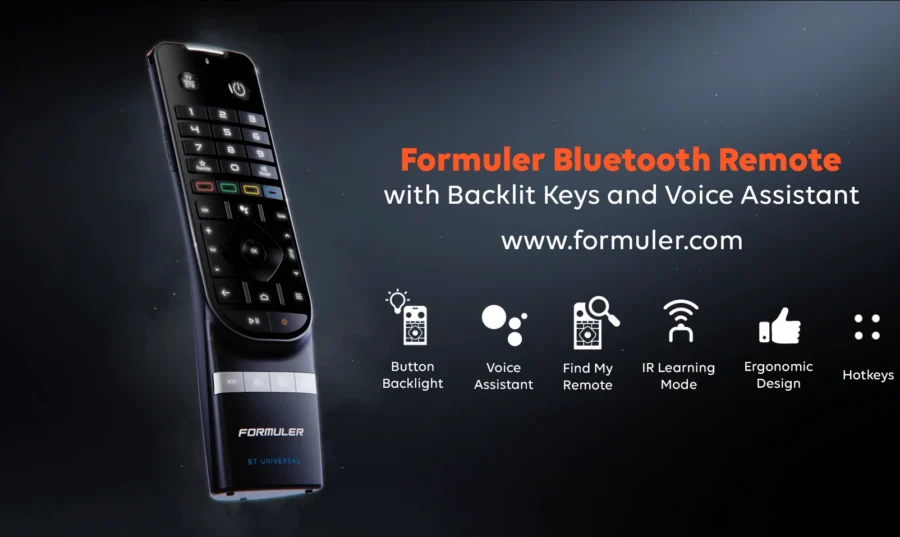
- Voice Input Compatible: Use the BT1 remote’s microphone for faster search
- EPG & Replay Integration: Find shows that are live, upcoming, or even past via catch-up
How to Use Universal Search on Your Formuler Device
Here’s how you can use Universal Search on MYTVOnline 3:
- Open MYTVOnline 3: Navigate to the MYTVOnline 3 app from your Formuler home screen.
- Press the Search Button:
Click the 🔍 magnifying glass icon at the top menu
OR press the Search button on your BT1 Remote. - Enter Your Keyword: Type or speak the name of a movie, TV show, channel, or actor using your remote or on-screen keyboard.
- Browse the Results: Results will be grouped by content type:
- Select & Watch: Click your desired result and enjoy watching instantly!
💡 Pro Tip: Use voice search via the BT1 remote for faster and more accurate results.Benefits of Using Universal Search
- 🔍Search All at Once – No more switching tabs for Live TV, VOD, or Series
- ⏱ Saves Time – Instantly find what you want without navigating menus
- 🧠 Smart Suggestions – Auto-suggests titles as you type
- 🎤 Voice Input Support – Compatible with BT1 Remote’s voice feature
Formuler Devices Supporting MYTVOnline 3 Universal Search
- ✅ Formuler Z11 Pro
- ✅ Formuler Z11 Pro Max
- ✅ Formuler Z11 SE
- ✅ Formuler Z10 Pro (limited features)
🔗 Want the best experience? Buy Formuler Z11 Pro Max now at Formuler.comConclusion
Universal Search on MYTVOnline 3 is a true game-changer for content lovers. Whether you’re a sports fan, a movie buff, or just someone who hates endless scrolling, this feature gives you a simple, fast, and intelligent way to find exactly what you want.
🔗 Ready to level up your IPTV experience?
Visit Formuler.com or Dreamlink.ca to get your Formuler device with the latest MYTVOnline 3 app.
FAQs about Universal Search on MYTVOnline 3
Q1. Can I use voice search in Universal Search?
Yes, if you have the BT1 remote, you can use the built-in mic to perform voice search.
Q2. Will it search in my external apps like YouTube or Netflix?
No. Universal Search works within MYTVOnline 3 only—Live TV, VOD, Series, and EPG.
Q3. Do all providers support Universal Search?
Only content from your IPTV provider that is compatible with MYTVOnline 3 will appear in results.
Q4. Is it available on older Formuler models?
Limited or no support on older models. Upgrade to Z11 series for full functionality.




[…] to MYTVOnline 3 > Settings > […]