

Enjoying your Formuler device but afraid of missing a live moment? With powerful features like Recording and Timeshift, you can pause, rewind, or record live TV anytime you want. This guide walks you through how to use these functions with ease.
Here is How to Install and Use MyTVOnline 3 App on Formuler
What Is Recording on Formuler?
Recording allows you to save live content so you can watch it later.
Requirements:
- A USB or external hard drive connected to your Formuler box.
- Adequate storage space.
How to Use Recording and Timeshift Features on Formuler
📼 Steps to Record Live TV
- Connect a USB drive (preferably USB 3.0) to your Formuler device.
- Open the MyTVOnline 3 app from your Apps menu.
- Select the channel you want to record.
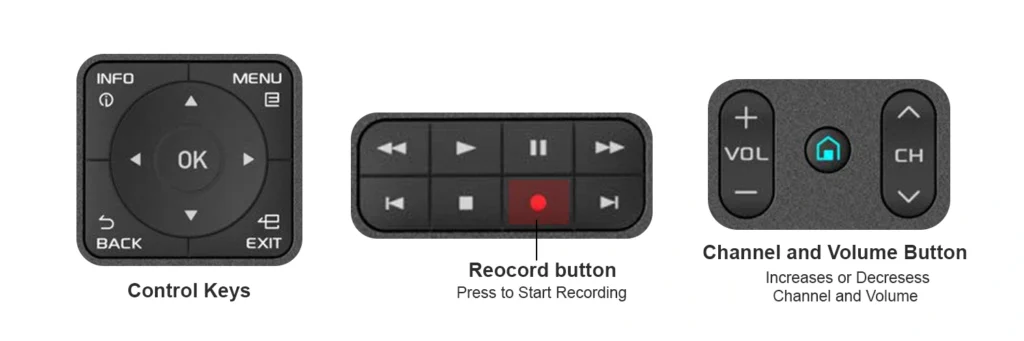
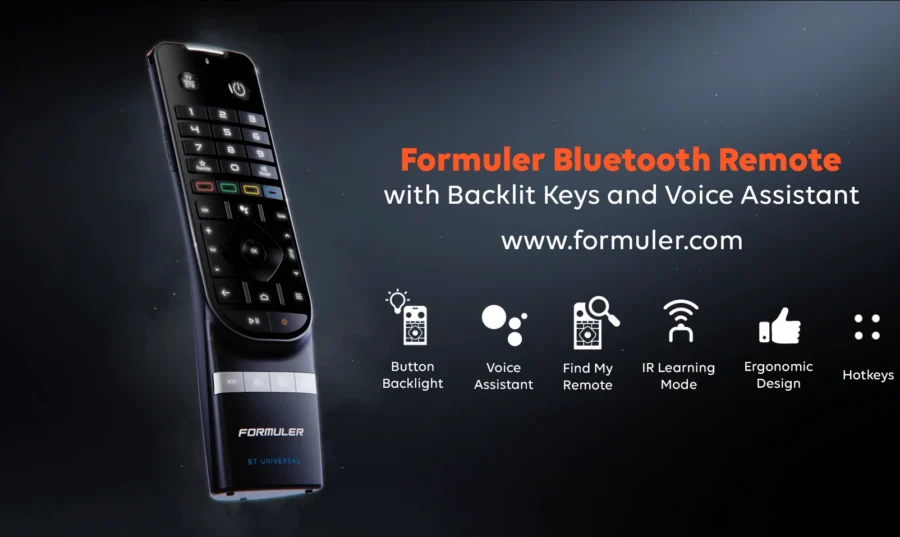
- Press the Record (●) button on your BT1 or IR remote.
- Choose between:
- Instant Recording – starts immediately.
- Scheduled Recording – set a future time and channel.
- To stop the recording, press the Record button again or use the on-screen option.
⏪ What Is Timeshift?
Timeshift allows you to pause, rewind, and resume live TV without missing a moment. It temporarily buffers live content using your USB drive.
📺 Steps to Use Timeshift on Formuler
- Connect a USB storage device to your Formuler box.
- Launch the MyTVOnline 3 app.
- Enable Timeshift by going to: Settings > Playback > Timeshift > Enable.
- While watching a live channel, press Pause (⏸) or Rewind (⏪) on your remote.
- To resume live playback, press Play or OK.
⚙️ Tips to Optimize Recording & Timeshift
- Use a high-speed USB 3.0 drive (minimum 16GB recommended).
- Check your USB storage regularly to ensure enough free space for new recordings.
- Keep your firmware up-to-date: Settings > About > System Update.
- Schedule recordings during non-peak hours for best performance.
- Format the USB drive to
NTFSorexFATfor compatibility and speed.
Check Out this Video Tutorial
Check out Beginner’s Guide to Setting Up IPTV on Formuler Devices
FAQ – Recording and Timeshift Features
Q1: Do I need internet for recording on Formuler?
A: Only for scheduling recordings via IPTV services. Local content can be recorded without internet.
Q2: Can I record two shows at once?
A: No, the Formuler device supports one recording at a time.
Q3: How much storage do I need for recording?
A: 1 hour of HD content needs ~1.5GB. Use a 64GB+ USB for frequent recording.
Visit Formuler.com for official device specs.





[…] How to Use Recording and Timeshift Features on Formuler […]
[…] Z11 Pro Max has internal storage, adding external memory expands your recording, Timeshift, and media playback […]